

Skip to main content Pricing Find the right way to run compliance

Products

Compliance Officer Service Expert-led compliance, end to end Compliance Portal Share security documents securely Document Management Draft, approve, and sign your policies Employee Portal Your whole team’s compliance, in one portal Access Review Monitor user access across all your systems AI Agents Run compliance from the tools you use Cookie Banner Consent that follows every visitor's law Device Agent Continuous security posture for every device Open-source platform Deploy Probo on your own infrastructure

Resources

Customer stories How teams get compliant with Probo Blog Ideas and guidance from the Probo team Compliance Hub Practical compliance guides and free tools Love from customers What customers say about working with Probo
Overview Understand Probo and its core concepts Product Explore Probo's GRC capabilities Developers Explore GraphQL, CLI, MCP, n8n, and webhooks Deployment Probo Cloud, self-hosting, and configuration

Explore

GitHub Explore our open-source compliance tools
Changelog
Documents

A new page for every document

Documents now open on one page with A4 layout, a fixed formatting toolbar and a collapsible side column. Browse published versions, see who else is editing, and publish with a changelog and approvers.
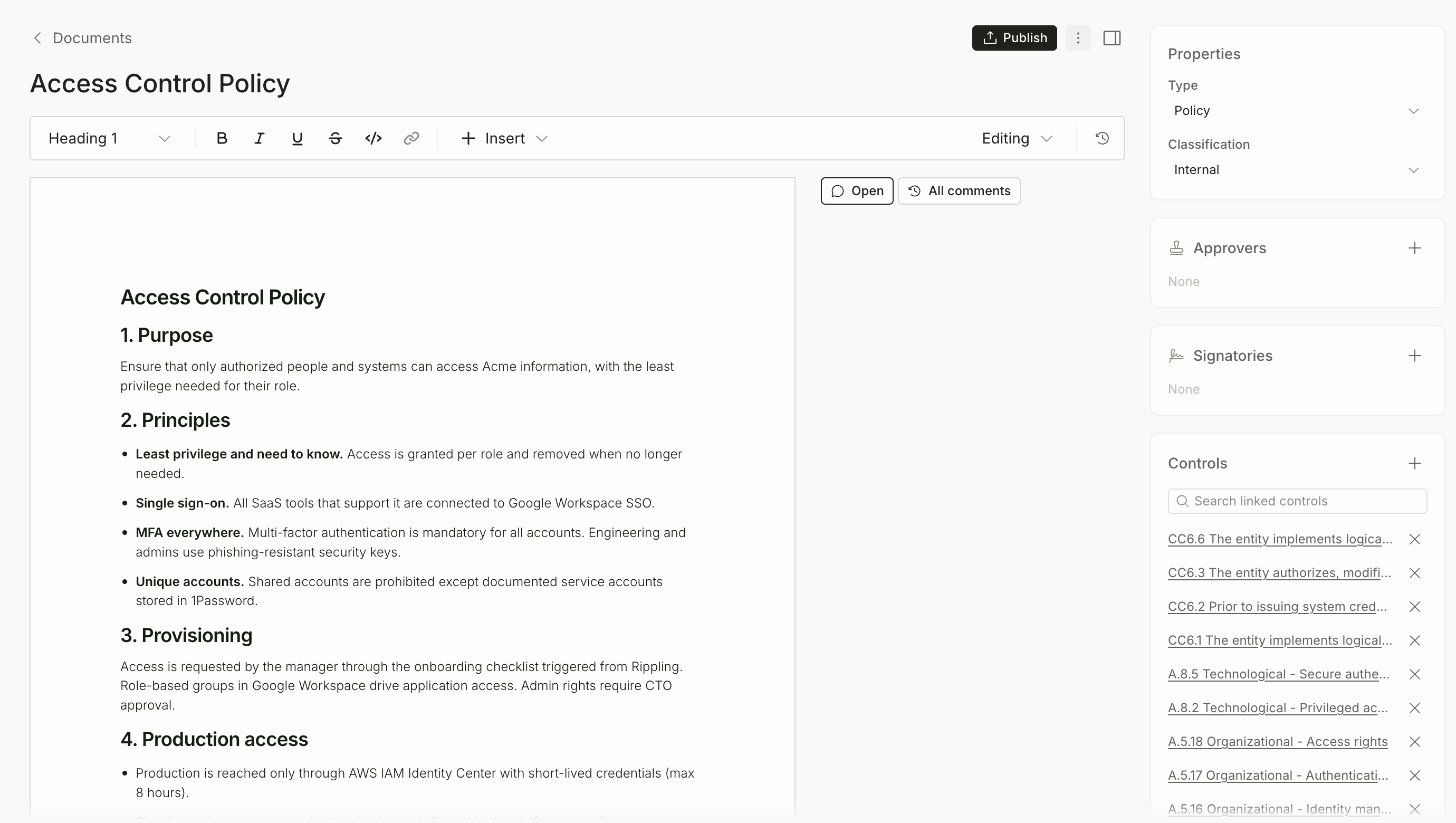
A new page for every document screenshot

Each document now opens on a single page. The text is laid out on A4 pages, the same as the PDF export, under a fixed formatting toolbar with an insert menu and the mode switch. Properties, linked controls, approvers and signatories sit in a side column you can collapse.

The toolbar shows who else has the document open, and each person’s caret gets its own color. In Viewing mode, Versions lists every published version beside the text. Opening one shows it read only and adds a version parameter to the URL, so you can link to that exact version.

Publishing asks for a changelog and approvers. Archive, unarchive, delete and Download PDF moved to the page menu. Generated documents open view only and say why.

Old document subpages redirect to the new page, so existing links keep working.