Skip to main content Pricing Find the right way to run compliance

Products

Compliance Officer Service Expert-led compliance, end to end Compliance Portal Share security documents securely Document Management Draft, approve, and sign your policies Employee Portal Your whole team’s compliance, in one portal Access Review Monitor user access across all your systems AI Agents Run compliance from the tools you use Cookie Banner Consent that follows every visitor's law Device Agent Continuous security posture for every device Open-source platform Deploy Probo on your own infrastructure

Resources

Customer stories How teams get compliant with Probo Blog Ideas and guidance from the Probo team Compliance Hub Practical compliance guides and free tools Love from customers What customers say about working with Probo
Overview Understand Probo and its core concepts Product Explore Probo's GRC capabilities Developers Explore GraphQL, CLI, MCP, n8n, and webhooks Deployment Probo Cloud, self-hosting, and configuration

Explore

GitHub Explore our open-source compliance tools
Changelog
Governance

Denied checks and request details in the audit log

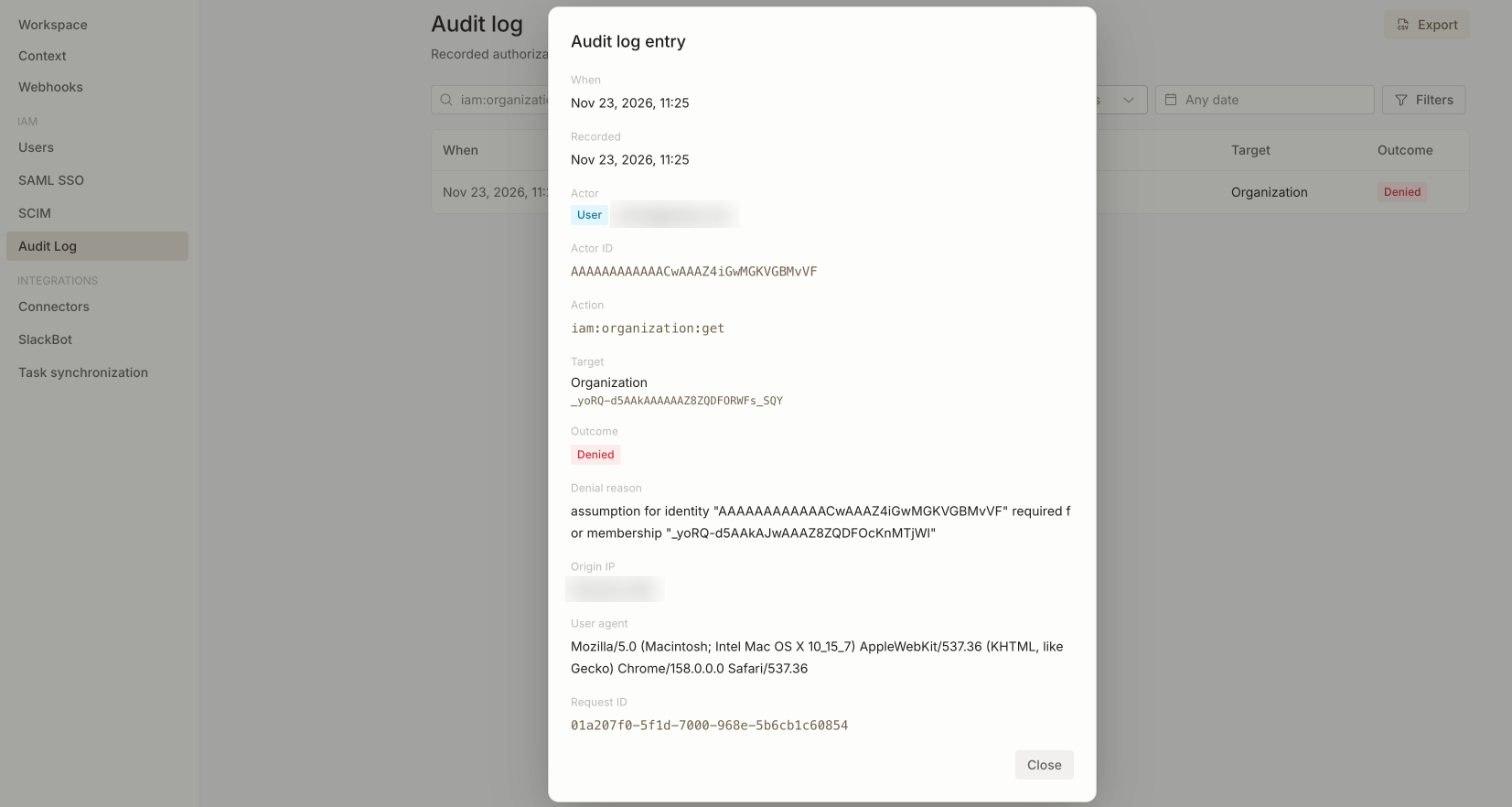
The audit log now records denied checks next to allowed ones, with the denial reason, client IP, user agent, and request id. New filters narrow the list by outcome, actor type, action prefix, request id, and date range.

Denied checks and request details in the audit log screenshot

The audit log used to show what people were allowed to do. It now records denied checks too, so an attempt to reach a record someone has no access to leaves a trace, with the reason it failed.

Each entry also keeps a snapshot of the actor’s email and name, the client IP, the user agent, and the request id. The same request id is written to the server logs, which makes it easy to line up an entry with what happened on the server.

The console page is rebuilt with filters for outcome, actor type, action prefix (iam:* style), request id, and a date range. Filters live in the URL, so a filtered view can be bookmarked or shared. Open an entry to see its origin, request id, and denial reason.

The new fields are in the CSV export, the GraphQL APIs, the MCP listAuditLogEntries tool, and prb audit-log list and view.