

Deepgram
Connect Deepgram as an access review source using a project API key with Owner or Admin scope so Probo can list every project's members.
Probo reads your Deepgram account’s members through the Deepgram Management API so you can review who has access.
Prerequisites
Section titled “Prerequisites”- Probo organization administrator access
- The Owner or Admin role in Deepgram (the key must carry owner or admin scopes so it can enumerate every project and its members)
- A key created under a project where its holder has the Owner or Admin role, so the key can see all projects across the account
Collected Fields
Section titled “Collected Fields”| Probo field | Deepgram field | Notes |
|---|---|---|
| Name | name | First and last name, falling back to the email |
email | The member’s email address | |
| Role | scopes | An owner scope maps to Owner, an admin scope maps to Admin, otherwise Member |
| Admin | scopes | Flagged as an administrator when the member holds an owner or admin scope |
| Status | Not supported | |
| MFA | Not supported | |
| Last login | Not supported | |
| External ID | member_id | Stable identifier used to track the account across reviews |
| Created at | Not supported |
Step 1: Create an API Key
Section titled “Step 1: Create an API Key”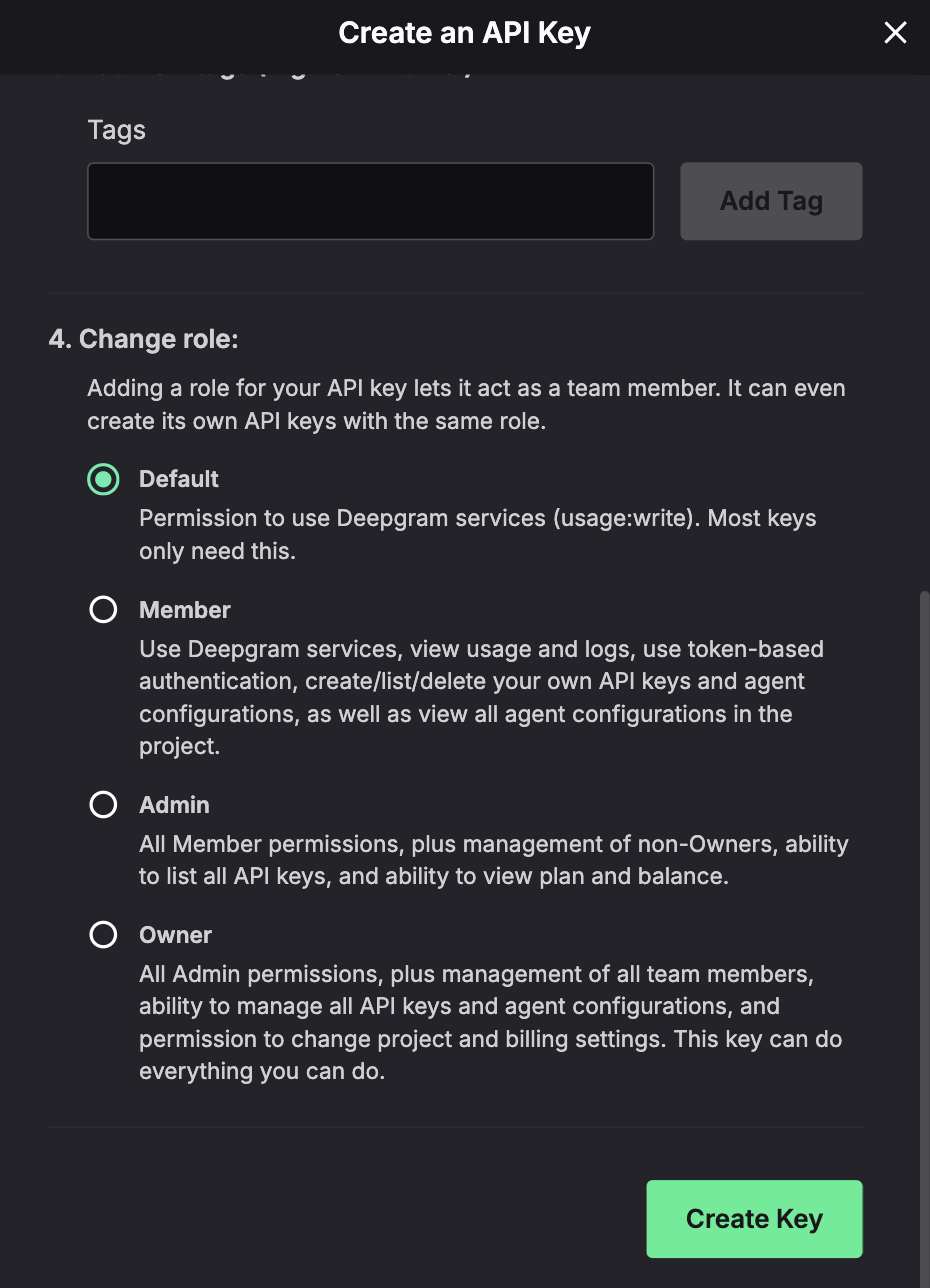
- In the Deepgram Console, open the Projects dropdown (top left), select the project, then go to Settings > API Keys.
- Click Create a New API Key, name it (e.g.
Probo Access Review), and choose the Owner or Admin role so the key carries members-read access across the account. You can optionally set an expiration. - Copy the key and store it securely. It’s shown only once.
Step 2: Connect in Probo
Section titled “Step 2: Connect in Probo”- In Probo, go to Access Review > Connections.
- Find Deepgram, click API Key, paste the key, and click Connect.
Probo names the source Deepgram. An account may span several projects, so the source keeps its generic name rather than a specific organization or project name.
Troubleshooting
Section titled “Troubleshooting”- Key rejected. Confirm it’s a Deepgram project API Key with the Owner or Admin role, sent under the Token scheme. Short-lived Bearer access tokens from the token-based Auth API won’t work.
- No members appear. The key must carry owner or admin scopes so it can enumerate every project and its members. A Member-role or narrowly scoped project key that cannot see all projects is insufficient.